Qualitative user testing: How to show available time slots to a patient.
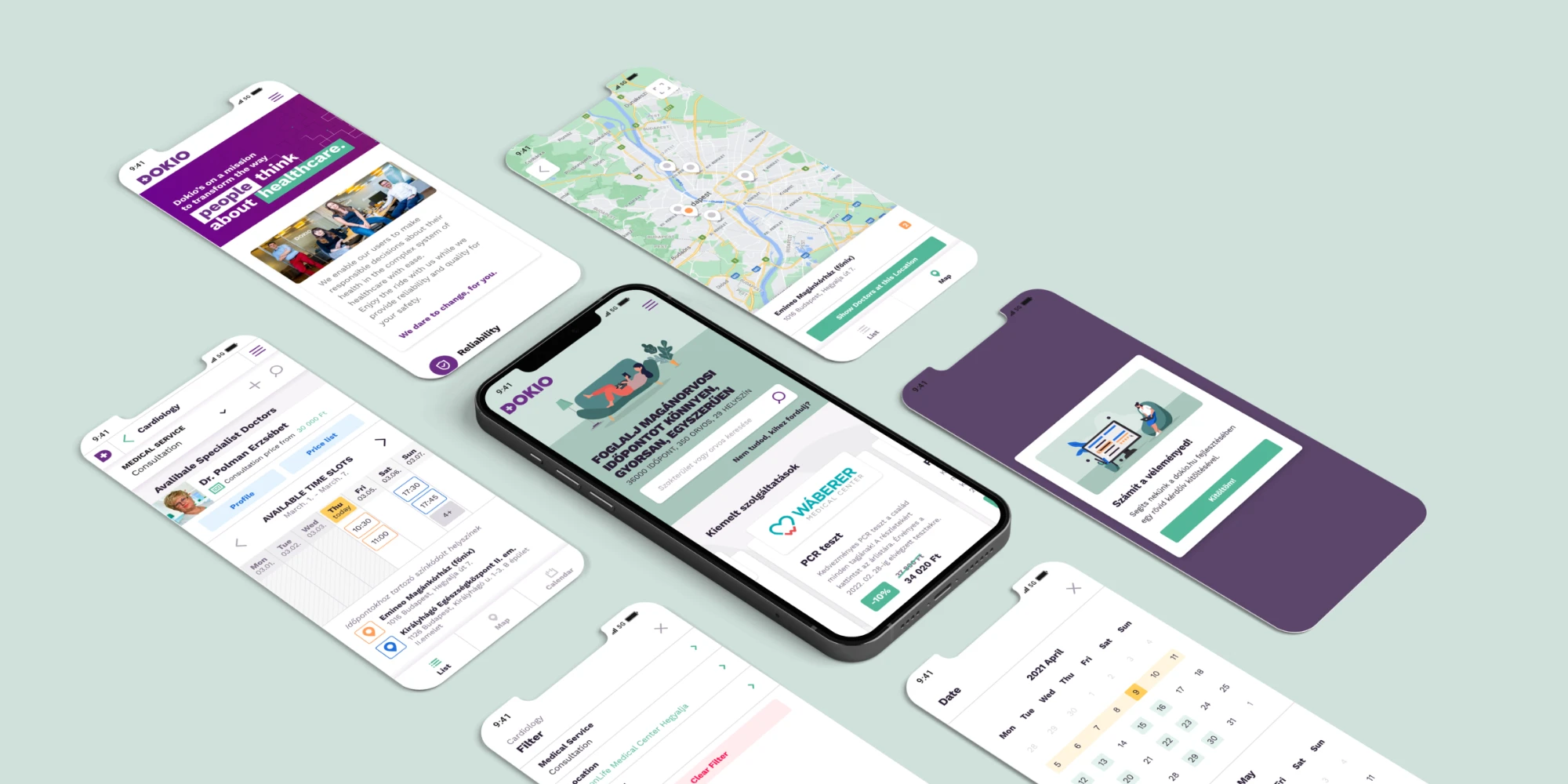
01About Dokio
On Dokio, users can book appointments with doctors in 40+ fields of medicine across Hungary, from 19 clinics.
02The problem
It was hard for users to find the right time slot. The doctor cards were too long, and going through every single day to find a free slot was frustrating.
03Original version
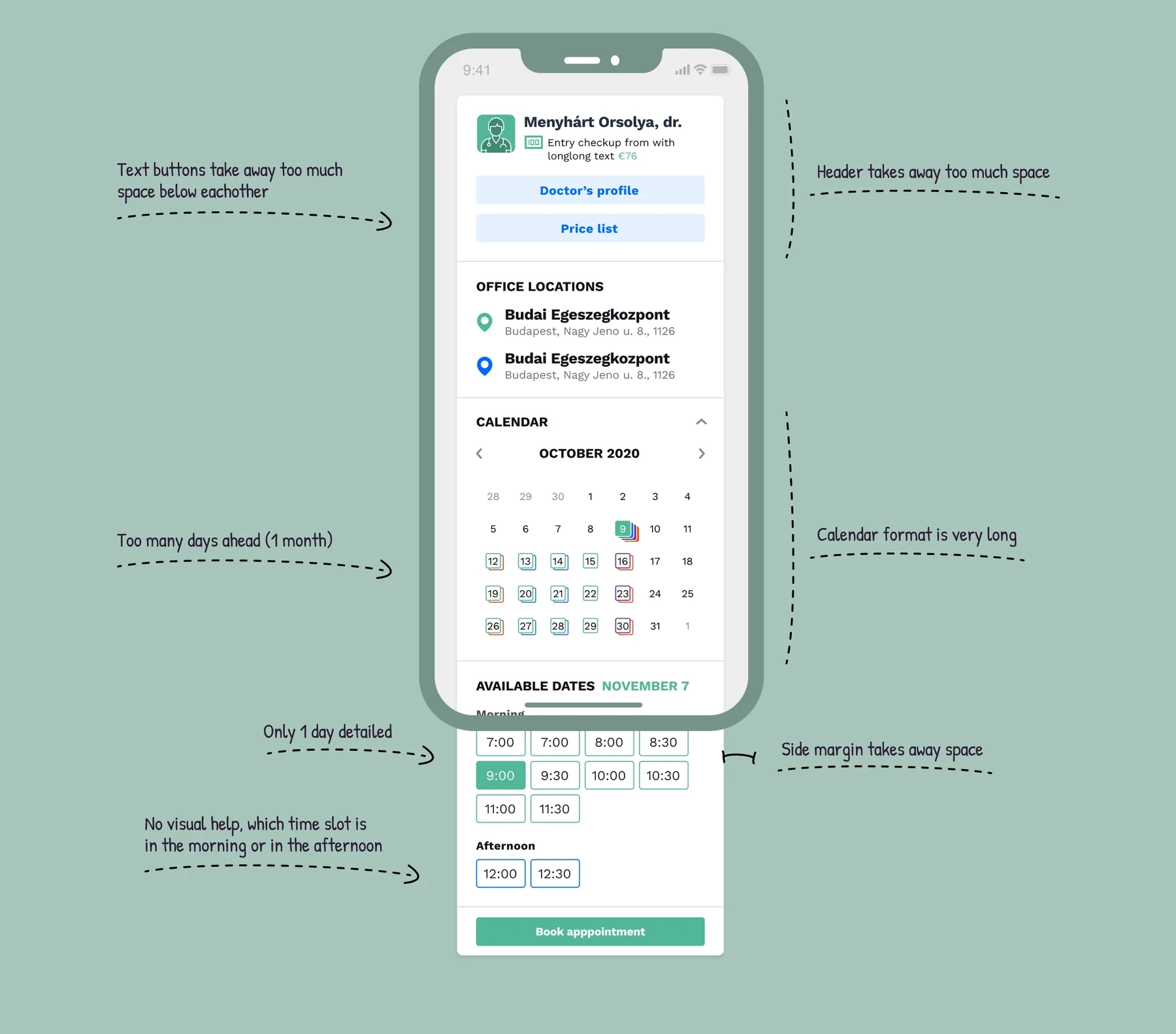
The original version of the component had some weak points.
04Research
I collected all the data I could get about usage and user preferences.
Sources




Statistics


05Wireframing
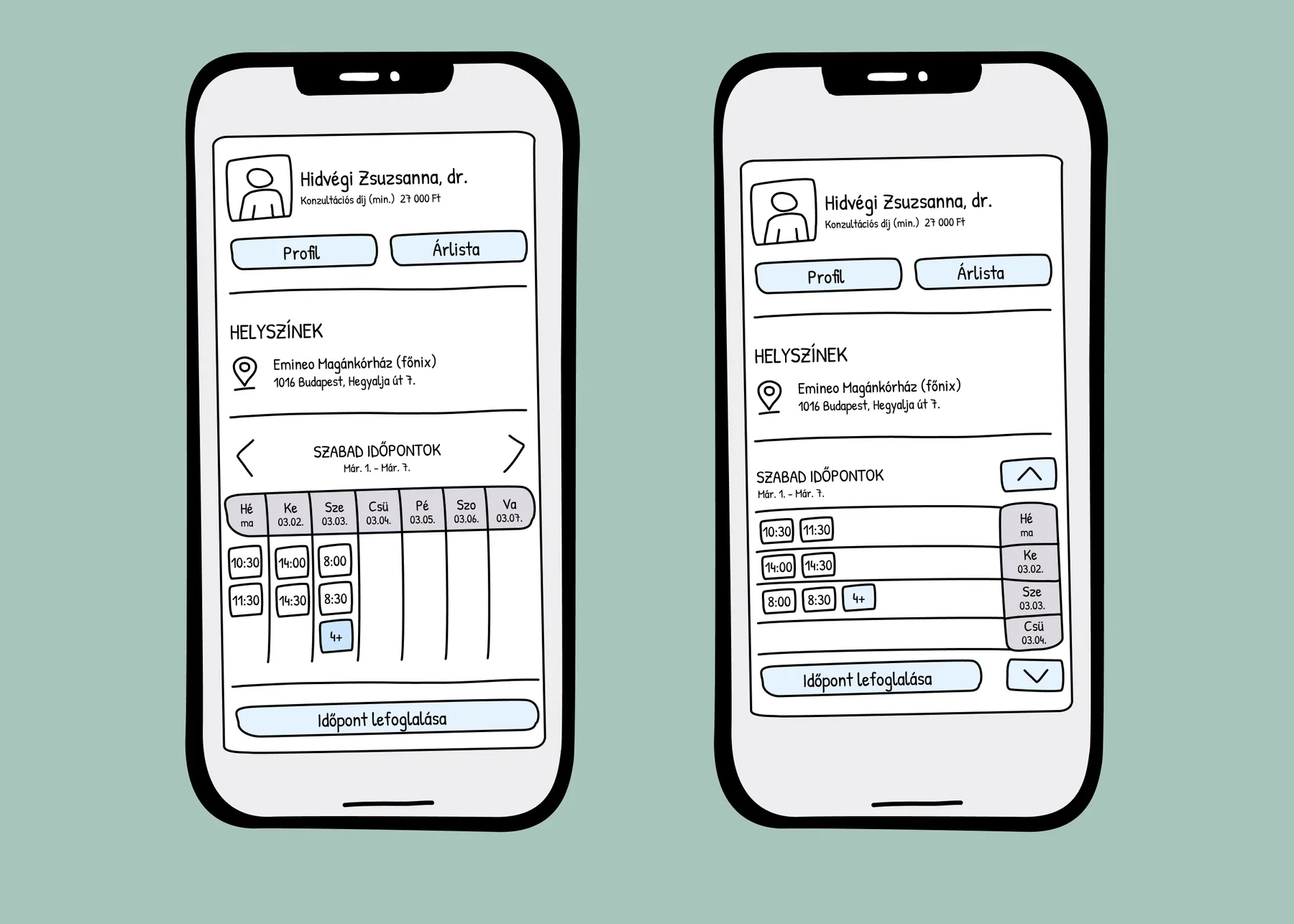
Based on the research, I created wireframes exploring the base concepts.
Some of them were made on classic paper or a whiteboard, some in Figma. Since we already had a design system, this was more about ideation than layout.
06Concepts to test
There were a number of focus points where I wanted to create alternatives and test them.
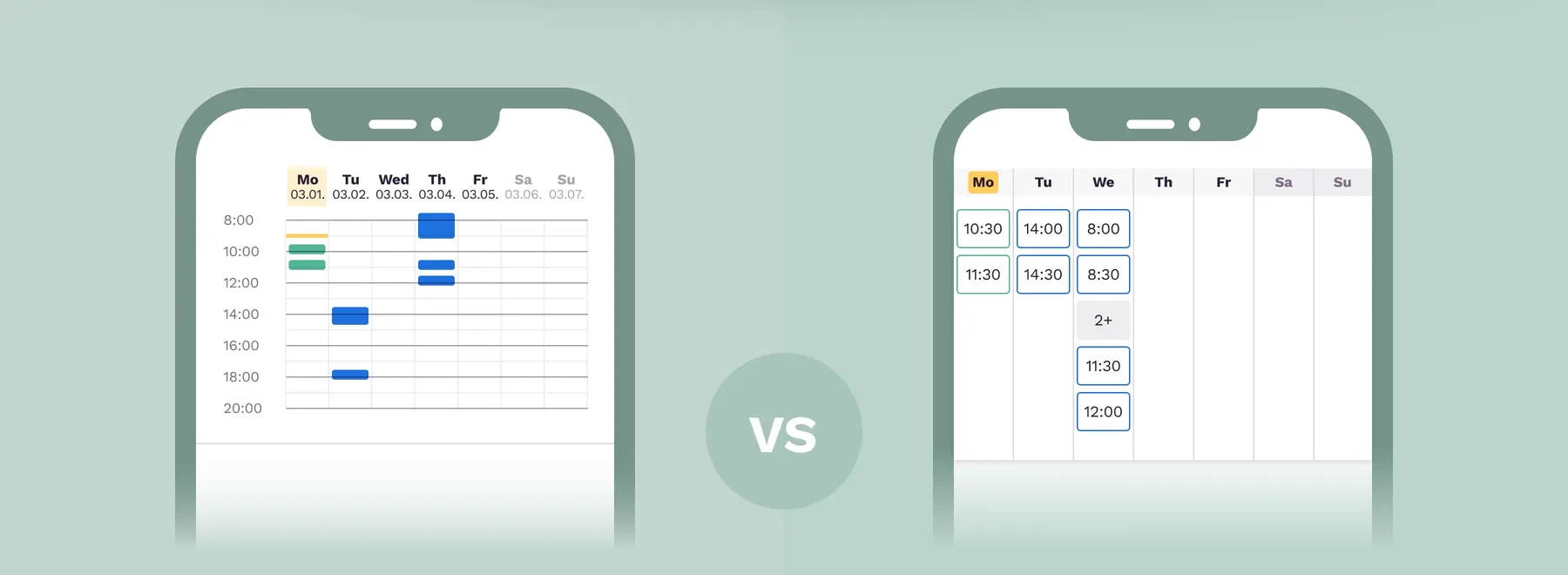
Heat map
Show data like a heat map, so users get strong visual feedback about a doctor's availability across a full week.
Exact information
Show exact, text-based time slots.
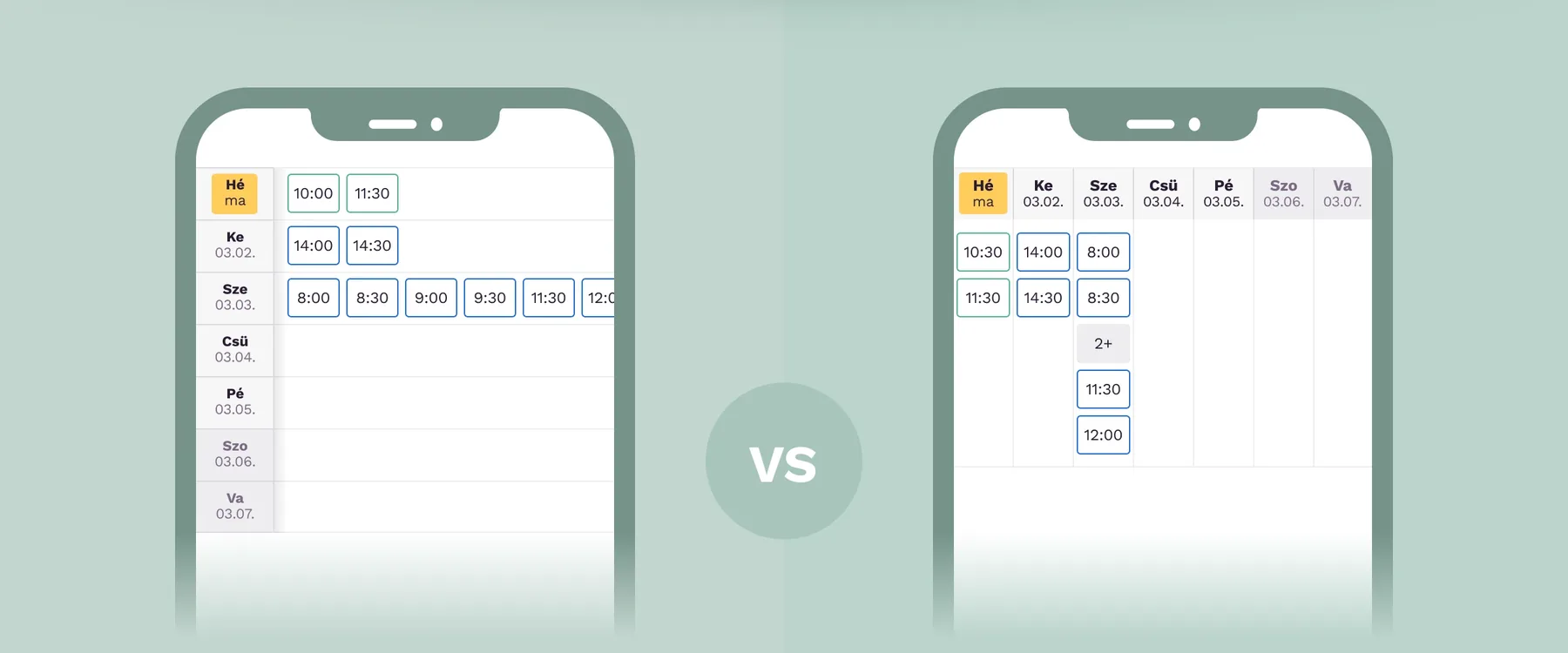
Days are rows
On mobile, users could side-scroll to see more time slots.
Days are columns
No side scroll, but a familiar layout for dates.
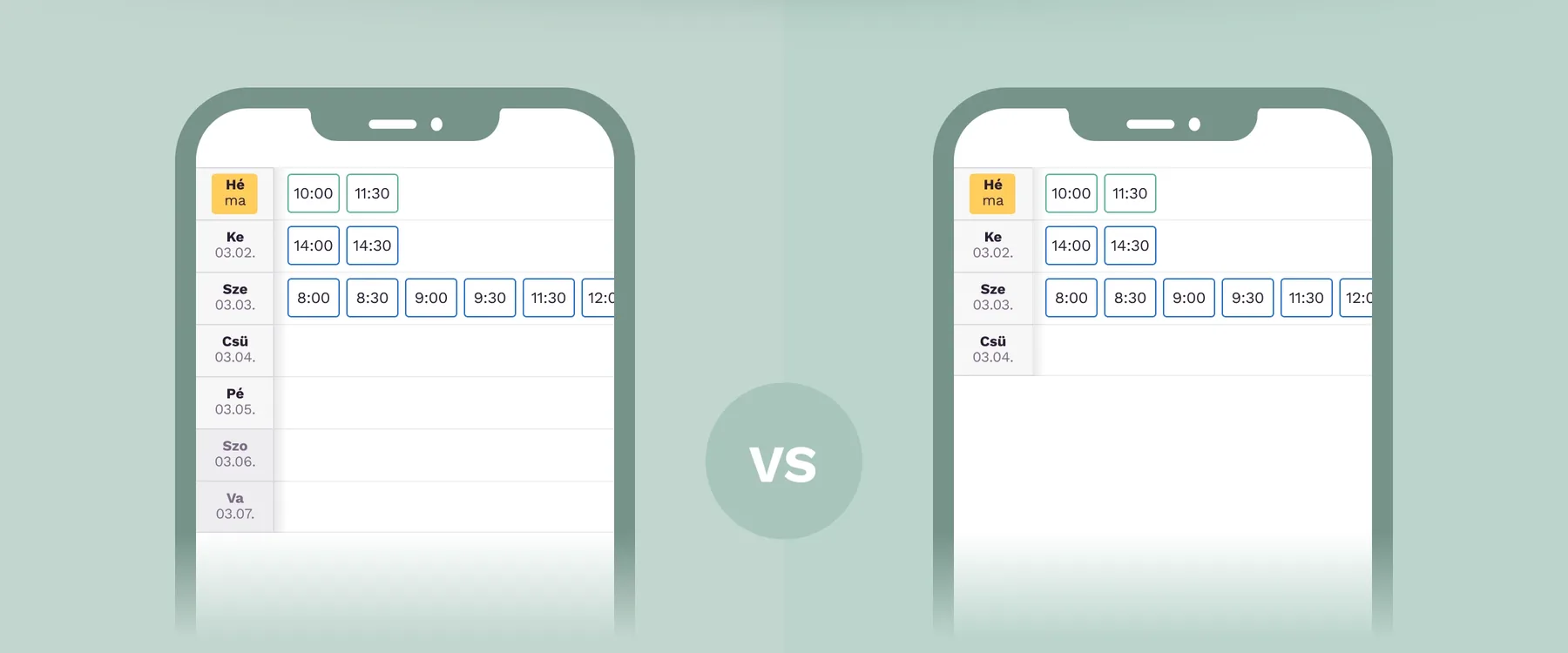
1 full week
Good help for those who have a stricter weekly routine.
4 days
Perfect for 80% of the bookings.
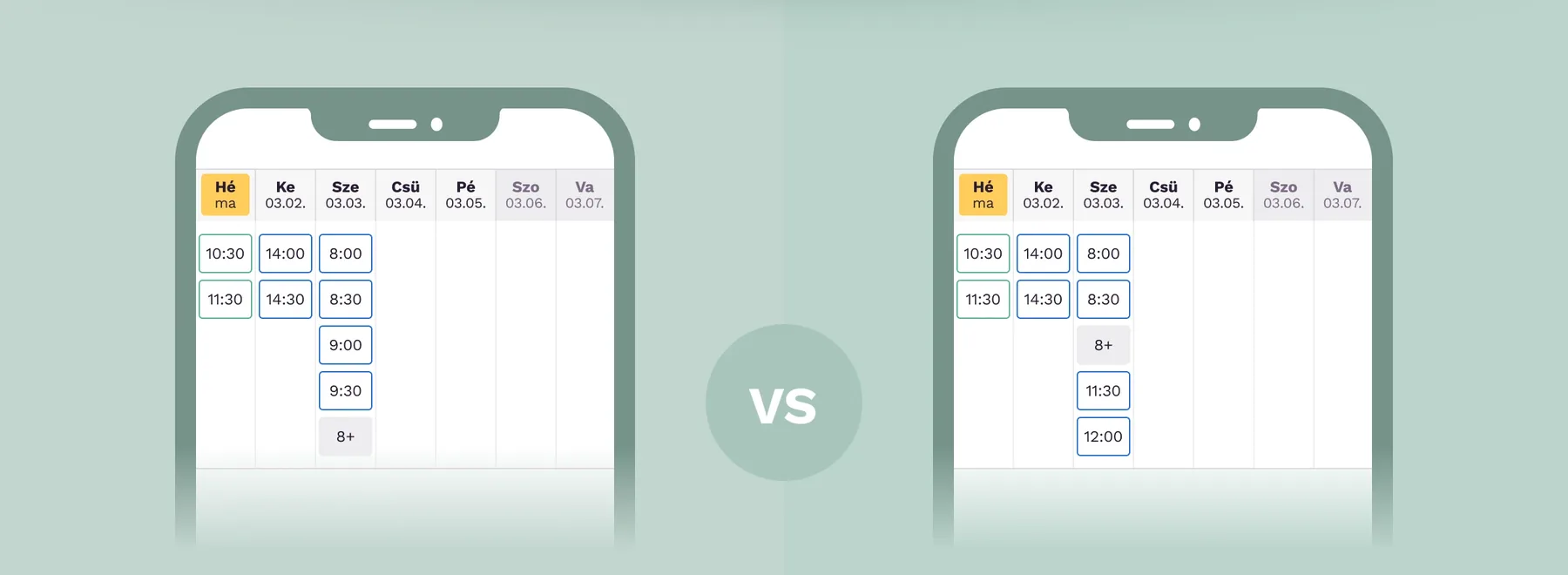
Hide last time slots
Usual practice. Easy to understand.
Hide mid-day time slots
Users usually book appointments at the beginning or the end of the day. The last two time slots are more valuable than the third and fourth ones.
07User testing
I built simple Figma prototypes and tested them with real users.
08Result
The result was put together from the collected data, the user interviews and business feedback. The most important things I learned from this user testing:
- 1
Vertical vs. horizontal days
Users like ordinary layouts for ordinary information like calendars — even if a new layout offers more functionality or information.
- 2
Give visual help for written information
It was worth keeping empty days (days in the past and days without time slots), so Monday stays the first column and the weekend stays at the end.
- 3
Buttons vs. icons
Most of the time it's worth using more space for text buttons, rather than small shiny icons, for important functions.
- 4
Show everything vs. knowing where to find it
More steps are not bad, as long as they're obvious to the user.
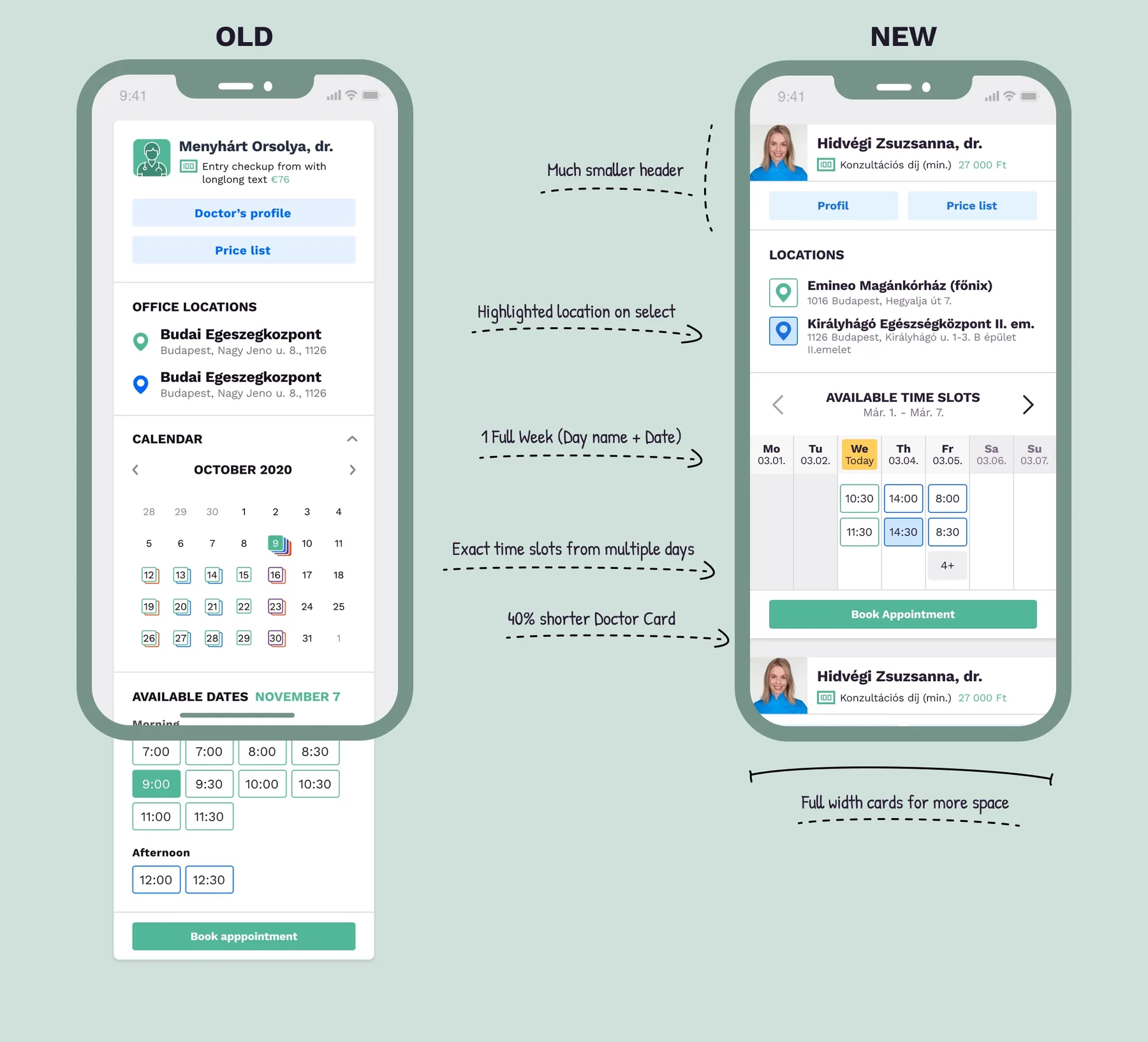
Old vs. new
- Much smaller header
- Highlighted location on select
- One full week (day name + date)
- Exact time slots from multiple days
- 40% shorter doctor card
- Full-width cards for more space